Write-once backup storage
Storage that keeps what you write, for as long as you set.
Vinera Protect Vault gives you storage vaults on Microsoft Azure Blob Storage in Singapore. You create each vault in the console and choose how long its data stays locked. Each vault has one access link that can write and read, and cannot delete.
A backup is only as safe as the place it is kept.
Backups are written with a credential, and on ordinary storage that credential can usually overwrite and delete as well. If it leaks, or a script goes wrong, the copies you were counting on can be changed or removed along with everything else.
Vault separates writing from deleting. The access link your tools use cannot delete, and every vault holds data under a retention window during which it cannot be overwritten or deleted.
Vaults, links and locks you control from one console.
Storage vaults
What it is
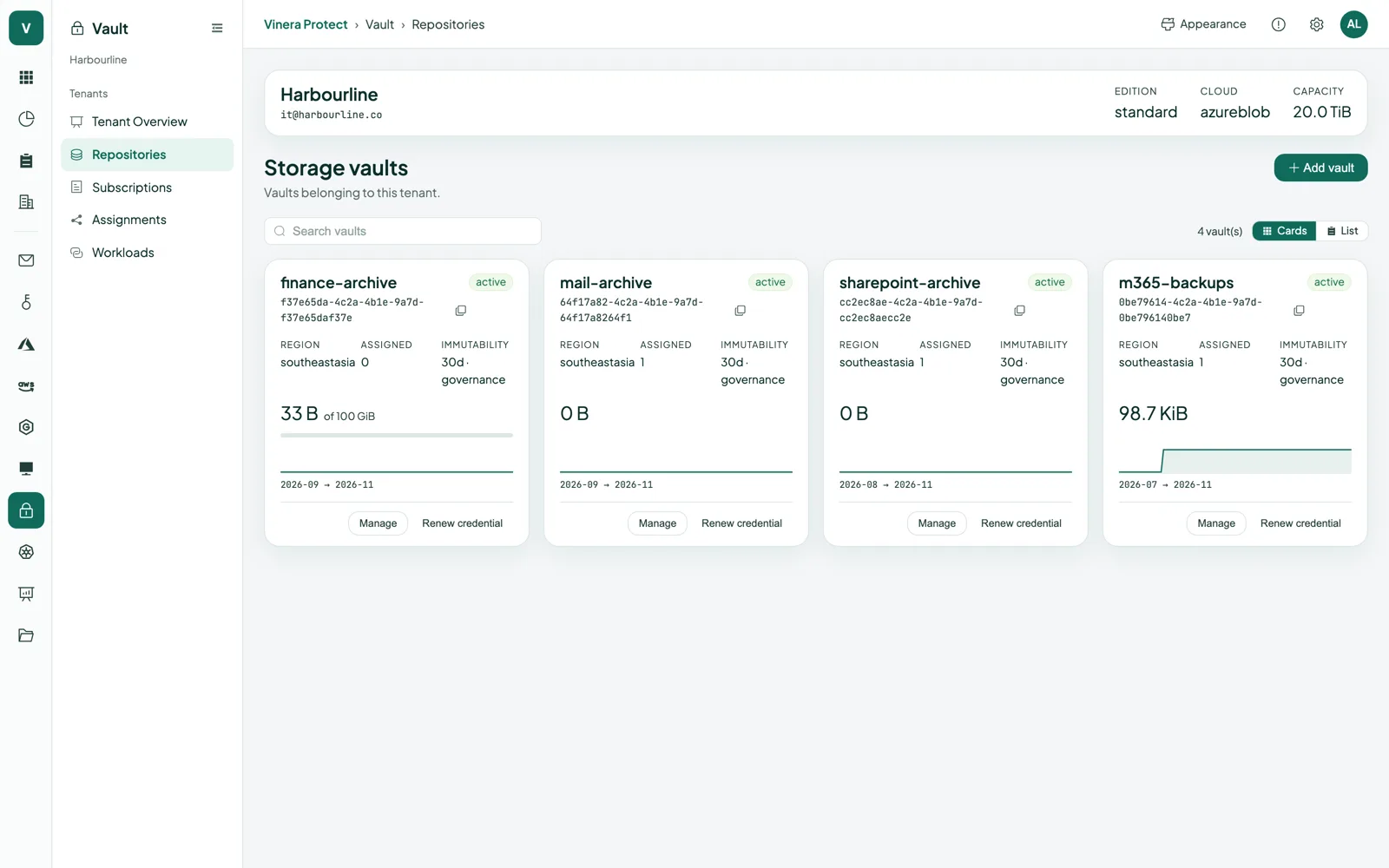
Your own storage on Microsoft Azure Blob Storage. Each vault is a separate container, created by you with a name, a retention window and a mode.
How you use it
Create vaults in the console whenever you need them, and see each one’s endpoint and usage.
Access link
What it is
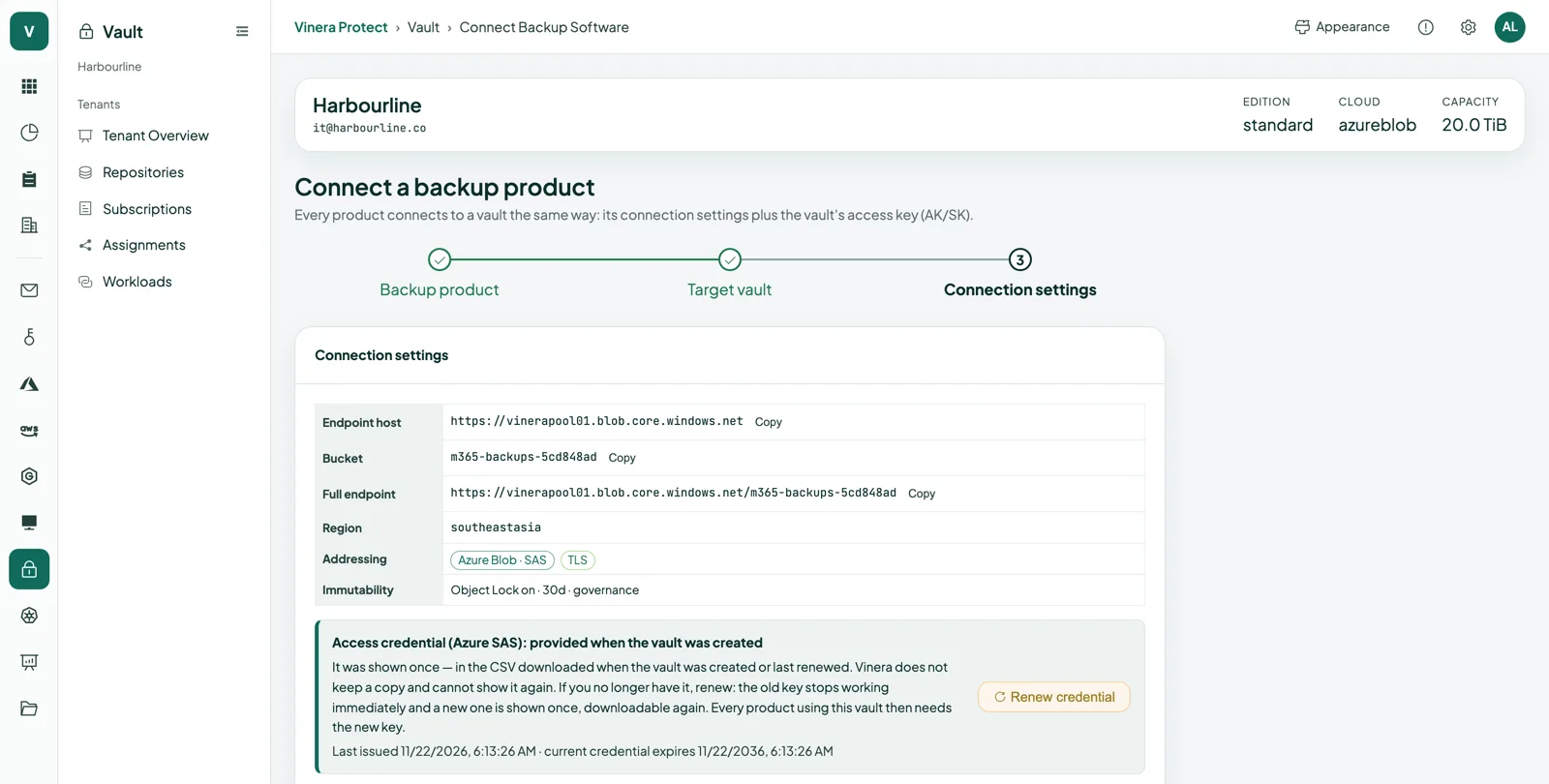
One link per vault, shown once. It can add, write, read and list data in that vault, and has no permission to delete.
How you use it
Point your tools and scripts at it. Renew it at any time; the old link stops working immediately.
Write-once retention
What it is
Every vault keeps its data under a retention window, 30 days by default and at least 1 day, enforced by Azure Storage.
How you use it
Extend the window from the console. Data inside it cannot be overwritten or deleted.
Compliance mode
What it is
A per-vault lock that nobody can shorten or remove, including Vinera, until it expires.
How you use it
Choose it when you create a vault, or switch a vault to it later. The switch is permanent.
Legal hold
What it is
A hold on a whole vault that lasts until you release it.
How you use it
Place and release it yourself from the console.
Storage that refuses to forget too early.
Vaults you create
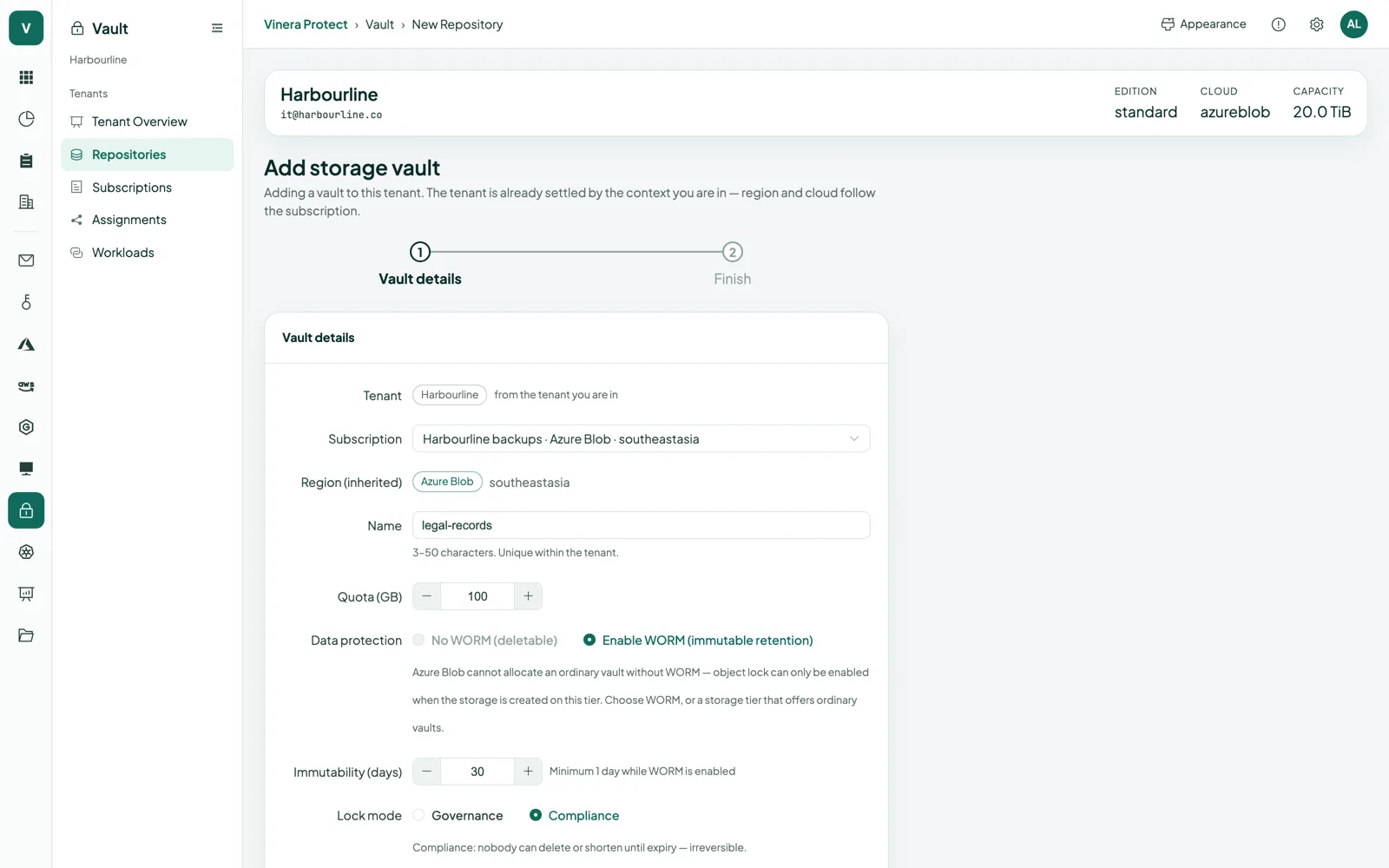
Create a vault in the console whenever you need one. Each is its own Azure Blob Storage container.
Write-once retention
Every vault holds data for a retention window, 30 days by default, enforced by Azure Storage.
Extend, never shorten
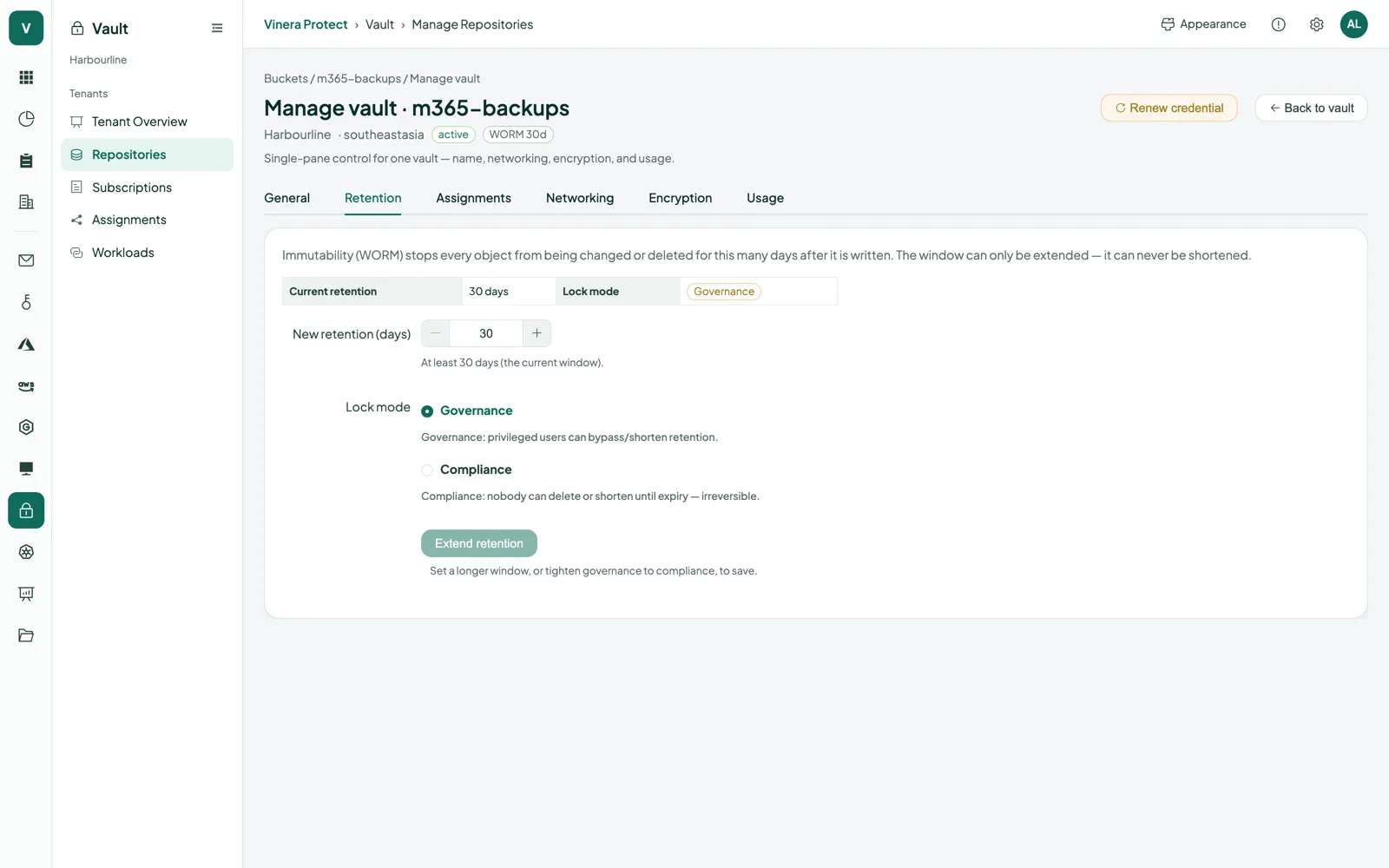
Retention can only be extended. A vault in Compliance mode stays in Compliance mode.
Compliance mode
Choose it per vault for a lock nobody can shorten or remove, including Vinera.
Legal hold
Hold a vault for as long as you need, then release it yourself.
A link that cannot delete
The access link can add, write, read and list. It has no delete permission.
Renew in one step
A new link replaces the old one, which stops working immediately. Each vault keeps its renewal history.
Alerts in the console
You are told when retention is about to expire and when an access link is more than 30 days old.
Seen by Vinera Secure
Vinera Secure reads your vaults’ status alongside your other Protect modules.
Decide how long data stays locked.
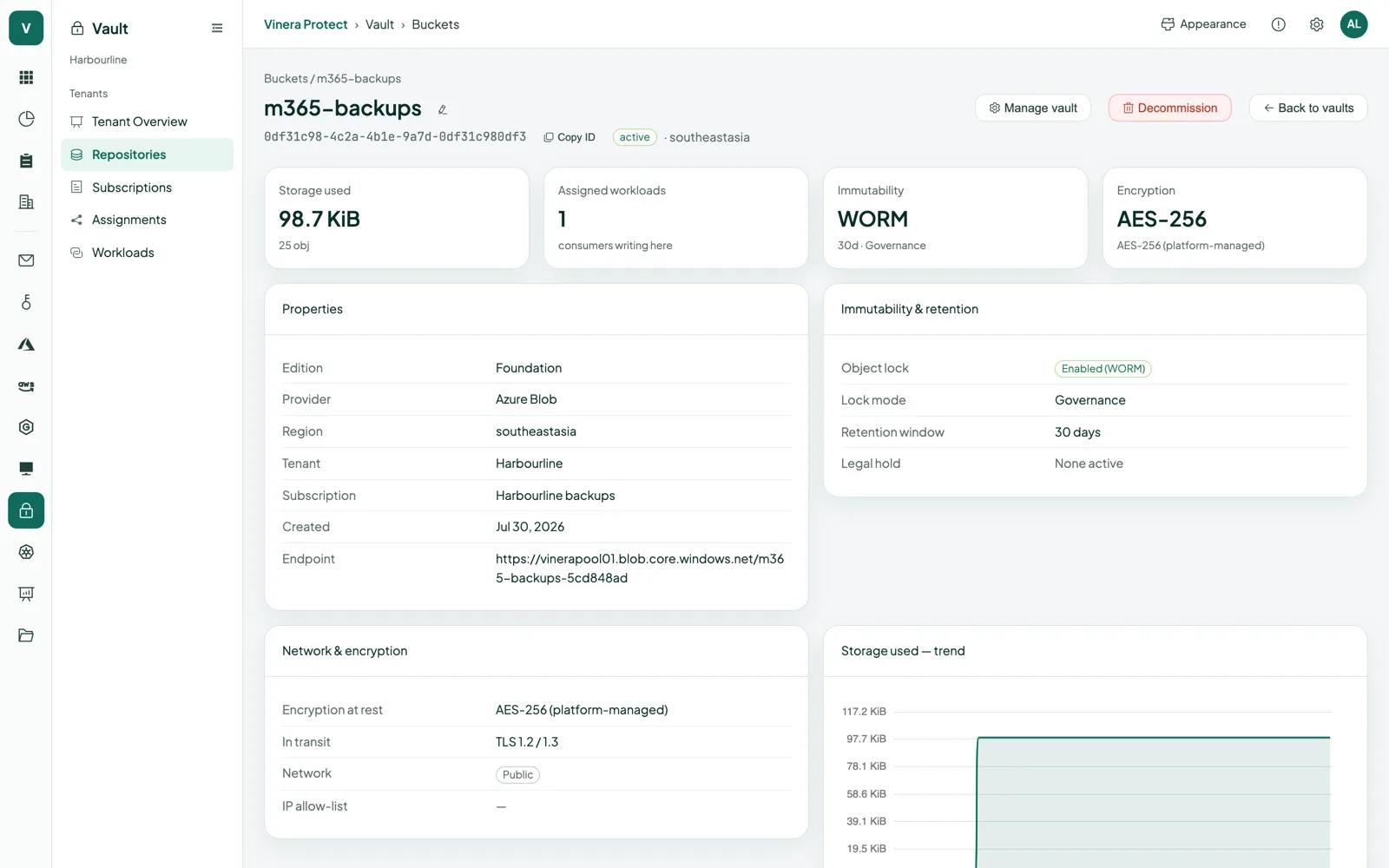
Each vault has its own retention window and mode. Set them when you create the vault; afterwards they can only get stricter.
- A window for every vaultPick a retention window of at least 1 day; the default is 30 days. Inside it, Azure Storage blocks overwriting and deleting.
- Governance or ComplianceGovernance mode is the default: from your side the lock can only be extended. Compliance mode goes further: nobody can shorten or remove the lock, including Vinera, until it expires.
- Legal hold when you need itPlace a legal hold on a vault to keep its data for as long as a matter lasts, and release it when the matter is closed.
Your data, read back with the same link.
The access link that writes to a vault also lists and reads it. What you read back is what was written: inside the retention window, nothing can be overwritten.
- Same link, read and listYour tools list a vault’s contents and read objects with the link they write with. Nothing else to set up.
- Unchanged inside the windowObjects inside the retention window cannot be overwritten or deleted, so a restore starts from the copy that was written.
- A new link reads the same dataRenew the access link and the new one reads everything already in the vault. The old link stops working immediately.
| What you read back | Where it comes from | How |
|---|---|---|
| A single object | Its vault, over HTTPS | Read it with the vault’s access link |
| Everything in a vault | The vault | List the contents and read them with the access link |
| Data after renewing the link | The same vault | Read with the new link; the old one no longer works |
| Data under Compliance mode or a legal hold | The vault | Read as usual; the lock stops deletion, not reading |
Every read travels over HTTPS with TLS 1.2 or later.
The moments write-once storage earns its keep.
“Someone got hold of our backup tool’s credentials.”
RenewThe link cannot delete, and data inside the window cannot be overwritten. Renew the link and the stolen one stops working at once.
“Auditors want these records kept unchanged for a set period.”
LockCreate a vault in Compliance mode with that retention window. Nobody can shorten it, including Vinera.
“Legal says keep everything from this project until further notice.”
HoldPlace a legal hold on the vault and release it when the matter is closed.
“That access link has been sitting in a script for months.”
RenewThe console flags links older than 30 days. Renew it, update the script, and check the renewal history.
Access you hold. Storage you can point to.
Each vault is reached through its own access link, and kept in Azure Blob Storage in Singapore.
- One link per vault, shown onceEach vault gets a single access link, scoped to that vault and shown once. It can add, write, read and list, and cannot delete.
- Renew it whenever you likeRenewing issues a new link and revokes the old one immediately. Every renewal is listed in the vault’s history.
- Stored in SingaporeVaults are kept in Azure Blob Storage in Microsoft Azure’s Southeast Asia (Singapore) region.
- EncryptedData travels over HTTPS with TLS 1.2 or later, public access to the storage is switched off, and Azure Storage encrypts data at rest with Microsoft-managed keys.
- Kept apart per customerEvery vault is its own container, and its link reaches nothing else. No other customer can see or read it.
Three things to have ready.
What you need
- A Vinera account. Your Vinera contact opens a Protect workspace and turns on the Vault module.
- Your retention decision: how long data must stay locked, and whether you need Compliance mode.
- A tool or script that writes to Azure Blob Storage with a SAS URL. Nothing to install on our side.
Then, in three steps
- Create a vault. Give it a name, set the retention window and choose Governance or Compliance mode.
- Copy the access link. It is shown once. Store it safely and give it to the tool that will write to the vault.
- Write, then read back. Write your first data and read it back on day one, so everyone knows it works.
Vault, in detail.
Screens and the film are real, taken from a demo workspace. All companies and people shown are fictional.
What is Vault?
Storage vaults on Microsoft Azure Blob Storage that you create yourself in the console. Every vault keeps what you write under write-once retention, and each one has its own access link that can write and read but not delete.
How do my tools connect?
With the vault’s access link, an Azure Blob Storage SAS URL scoped to that vault. You can also hand the connection details over with a one-time code that works only once.
Can anyone delete my data?
Not with the access link: it has no delete permission. Inside the retention window, Azure Storage blocks overwriting and deleting. In Compliance mode, nobody can shorten or remove the lock until it expires, including Vinera.
What is the difference between Governance and Compliance mode?
Both block overwriting and deleting inside the retention window, and in both you can only extend the window. Governance is the default. Compliance is a lock nobody can shorten or remove, including Vinera; once a vault is in Compliance mode, it stays there.
How long is data kept?
For the retention window you set per vault: at least 1 day, 30 days by default, and you can extend it at any time. A legal hold keeps a vault’s data until you release it.
What if an access link leaks?
Renew it in the console. The new link is shown once and the old one stops working immediately. The vault’s history lists every renewal.
Where is my data stored?
In Azure Blob Storage in Microsoft Azure’s Southeast Asia (Singapore) region, encrypted in transit and at rest.
How do I get it?
Book a demo. Your Vinera contact opens a Protect workspace with the Vault module; you then create vaults and copy their access links yourself.
One product, a module for each platform.
See a vault hold its ground.
Book a demo and we will create a vault with you, write a file to it, read it back, and show that the link cannot delete it.